MICROSOFT 365 COPILOT BLOG
Microsoft 365 Copilot: What’s New | May 2026
This is the English edition of the Chinese compilation of the official Microsoft 365 Copilot monthly update for May 2026. Each month, we compile new features and improvements to help Microsoft 365 administrators stay current with the latest Copilot capabilities and enable users to work more efficiently in the apps they use every day.

User capabilities
Anthropic Claude Opus 4.8 is now available
Anthropic's Claude Opus 4.8 is now available in Microsoft 365 Copilot, providing a new model option for more advanced work scenarios. The model excels at complex multistep tasks and long-running workflows, with improvements in tool selection, instruction following, and task completion, as well as stronger performance on tasks such as drafting documents, analyzing data, and creating presentations. When used with Work IQ, its outputs are grounded in the organization's own data, making them more relevant and accurate.
Availability: Available in Copilot Cowork (Frontier), and rolling out to Copilot Studio early release cycle environments, as well as Copilot Chat, Excel, and PowerPoint for users licensed for Microsoft 365 Copilot.
Copilot app: Refreshed interface, enhanced Notebooks, and Apple CarPlay support
- New designRolling out in June
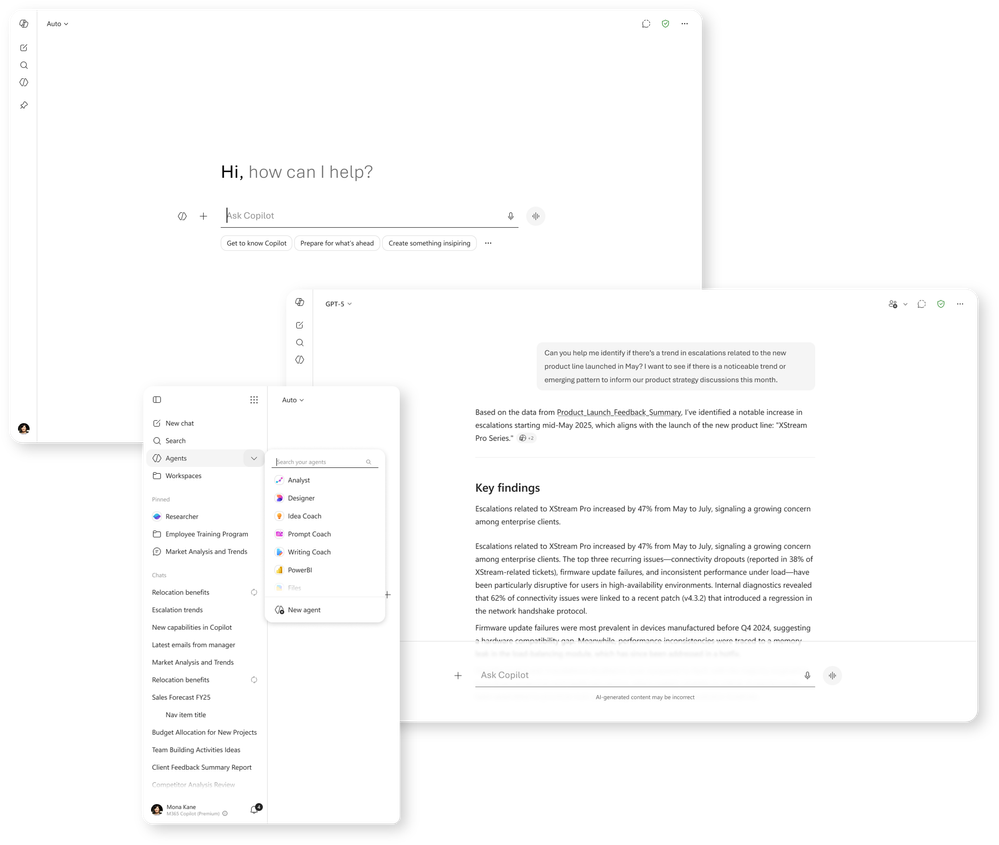
The redesigned Microsoft 365 Copilot app delivers a more streamlined, chat-centered experience, with simplified conversation and response layouts, improved navigation, and new ways to organize work. These changes help users stay focused, maintain context, and move work forward more efficiently. - Updated Copilot Notebooks interfaceRolling out in June
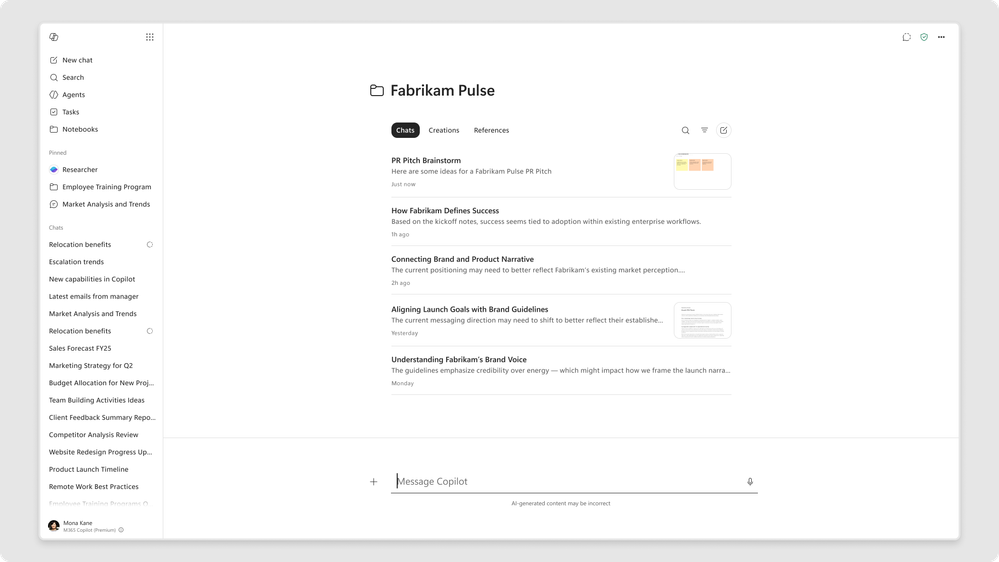
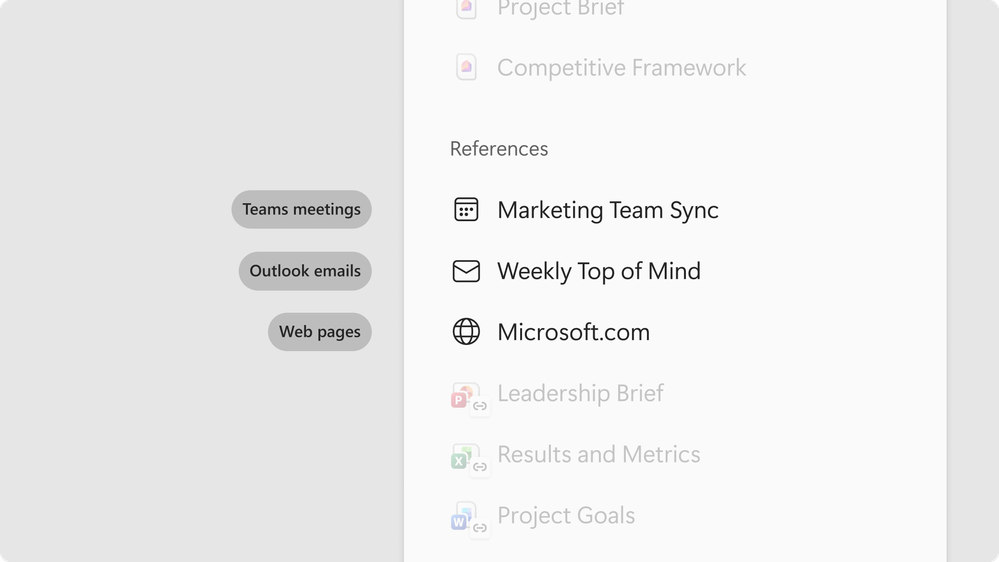
The Copilot Notebooks interface in the app has been redesigned to help users organize chats and work products by project. The new interface brings conversations, artifacts, and reference sources together in one place, making collaboration and progress smoother. Copilot Notebooks also stays synchronized between the Microsoft 365 Copilot app and the OneNote app, so users can freely switch between the two experiences and work with the same notebook in whichever way suits them best. - Use a single Teams meeting as a knowledge sourceRolled out in Frontier in May; rolling out globally in June
Copilot Notebooks can now reference a specific Teams meeting, bringing its transcript, notes, chat history, and shared content into the notebook. Grounding Copilot's answers in the discussions, decisions, and context behind the work makes those answers more accurate and coherent. - Generate spreadsheets with the Excel agentRolled out in Frontier in May; rolling out globally in June
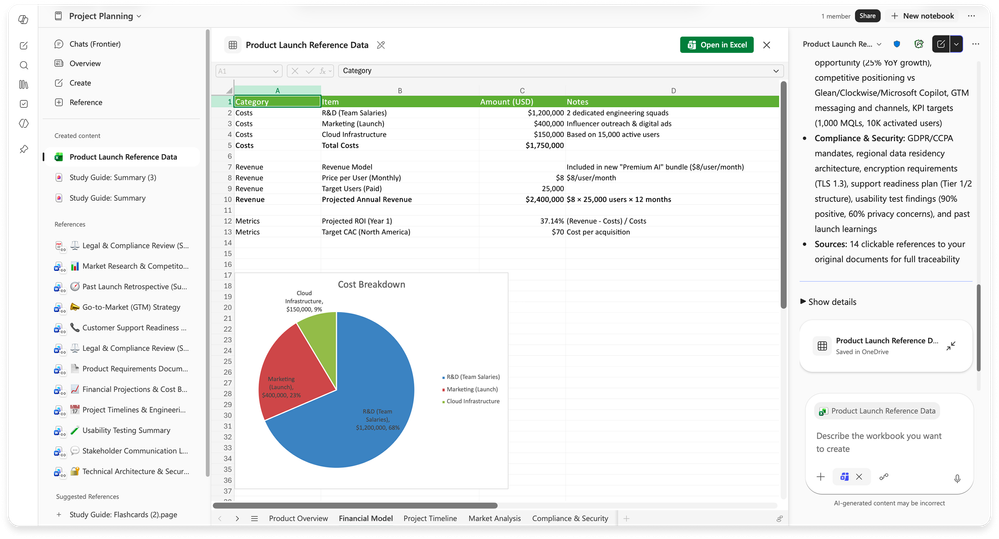
Copilot Notebooks can now invoke the Excel agent directly from a notebook to generate a spreadsheet. Copilot extracts existing content and reference sources from the notebook to draft a clearly structured, consistently formatted spreadsheet that is ready for further refinement. Once the process begins, the Excel agent gathers information by asking clarifying questions so it can tailor the spreadsheet to each specific need. Users can then continue collaborating with Copilot in Excel to edit and adjust it. - InfographicsRolled out in Frontier in May; rolling out globally in June
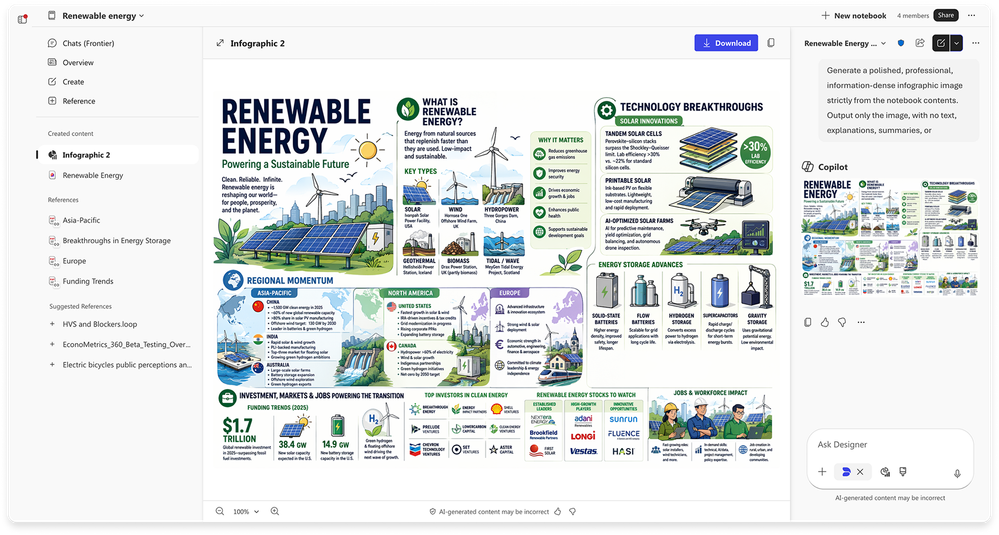
This feature automatically transforms notebook content into clear, share-ready visual summaries. The system analyzes information and reference sources in the notebook and generates an infographic highlighting key points, relationships, and insights. Without manually creating slides or visual assets, users can instantly turn technical notes, project updates, or documents into easy-to-understand graphics that communicate complex information more effectively. - Apple CarPlay supportRolled out in May
Copilot is now available on Apple CarPlay, allowing users to stay current with work hands-free while driving. Through the in-car display and audio system, users can start a new conversation or continue an existing chat by voice, making it safer to review the day's schedule, organize priorities, and capture ideas without typing or looking at a phone.
GPT-5.5 Instant comes to Copilot Chat and Copilot Studio
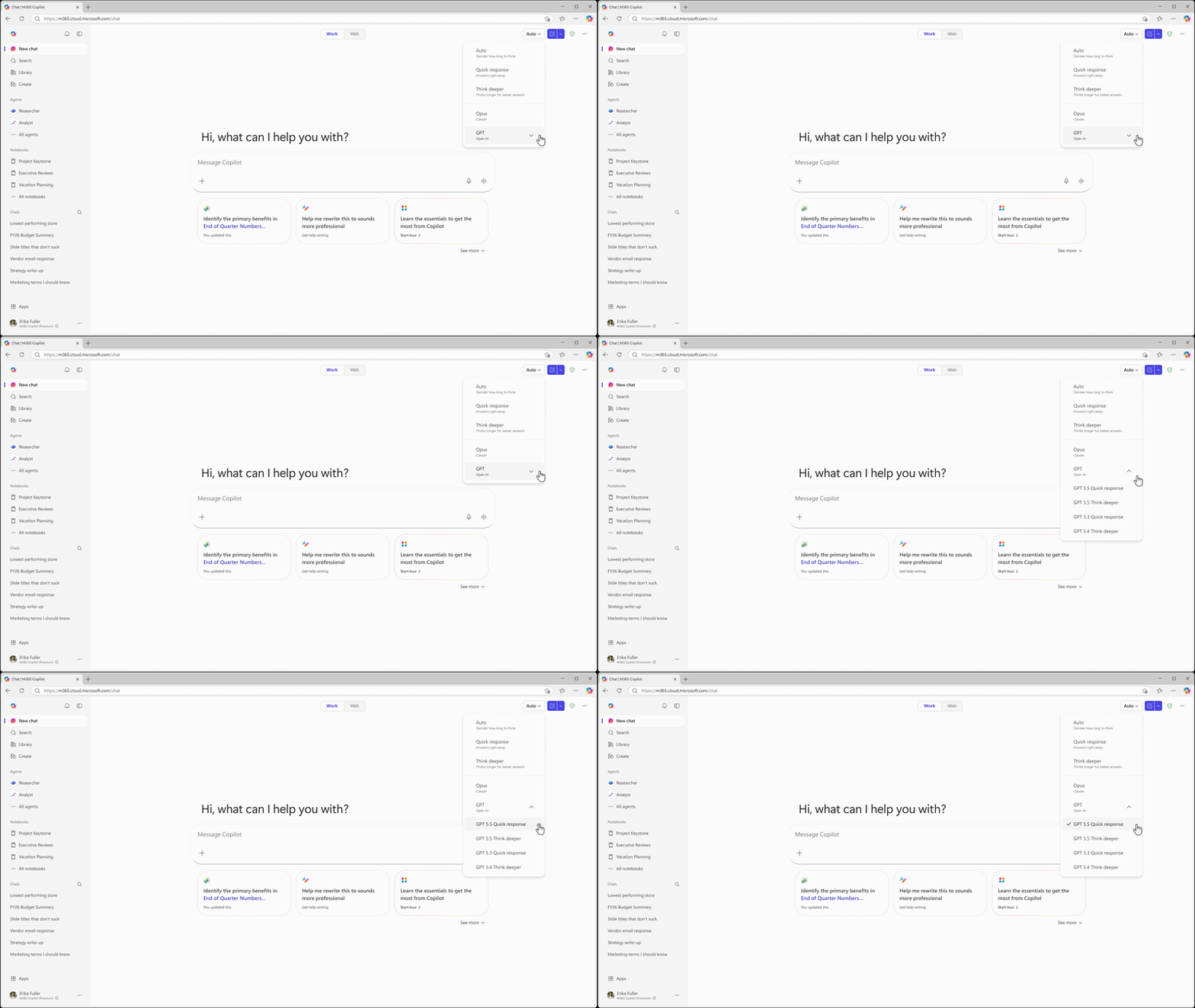
Rolled out in MayOpenAI's GPT-5.5 Instant is now available in Microsoft 365 Copilot and Microsoft Copilot Studio, delivering higher-quality answers for everyday workplace tasks, image analysis, and STEM questions. Building on GPT-5.3 Instant, the new model provides clearer, more concise responses with less redundancy and fewer unnecessary follow-up questions, helping users get useful answers with fewer exchanges. In Copilot Chat's GPT model selector, it appears as “GPT-5.5 Quick response”; in Copilot Studio, it is rolling out to early release cycle environments as “GPT-5.5 Chat.”
Expanded Copilot Prompt Gallery
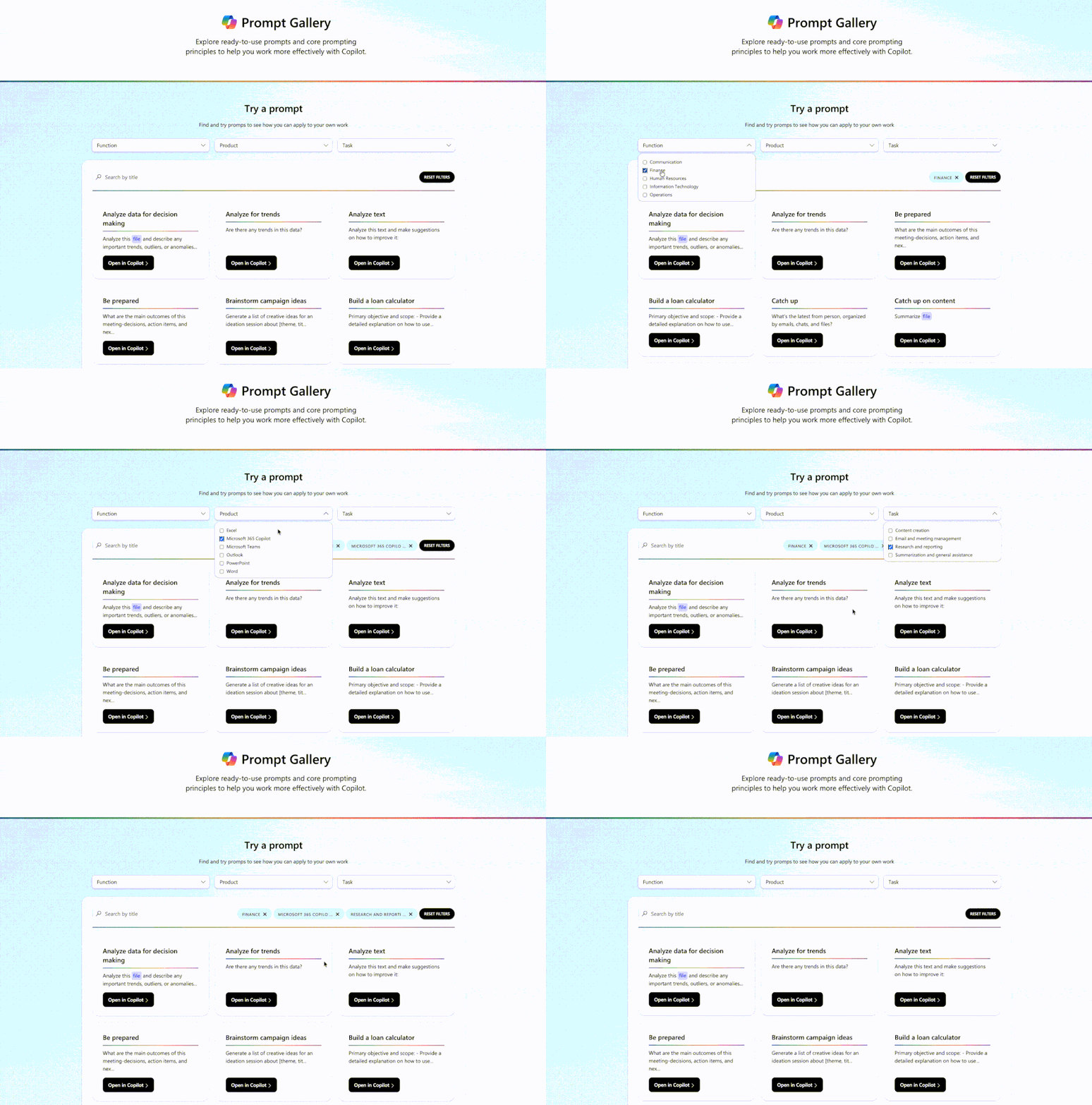
The new Prompt Gallery helps users move directly from “I don't know what Copilot can do” to “I'll try a useful task right now.” It brings together ready-to-use prompts, concise guidance, and task-oriented ideas in one place, covering scenarios such as drafting content, preparing for meetings, analyzing information, and quickly catching up on work. Users can find an appropriate starting point, try a prompt directly in Copilot, and share workflows within the organization.
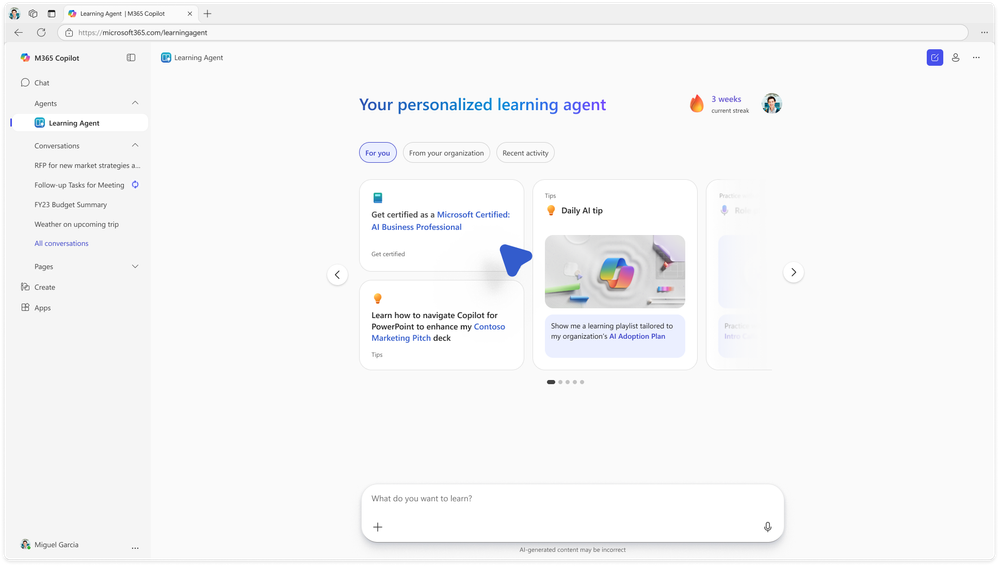
Learning Agent
Rolling out in JunePowered by Work IQ and integrated with AI Skills Navigator (preview), Learning Agent provides a personalized learning experience embedded in the flow of work. Through content tailored to job roles and day-to-day work, it helps employees build Copilot and AI skills faster. It provides relevant tips, skills assessments, customized learning plans, certification pathways, and role-playing exercises, allowing people to learn by doing in real workflows and continuously improve.
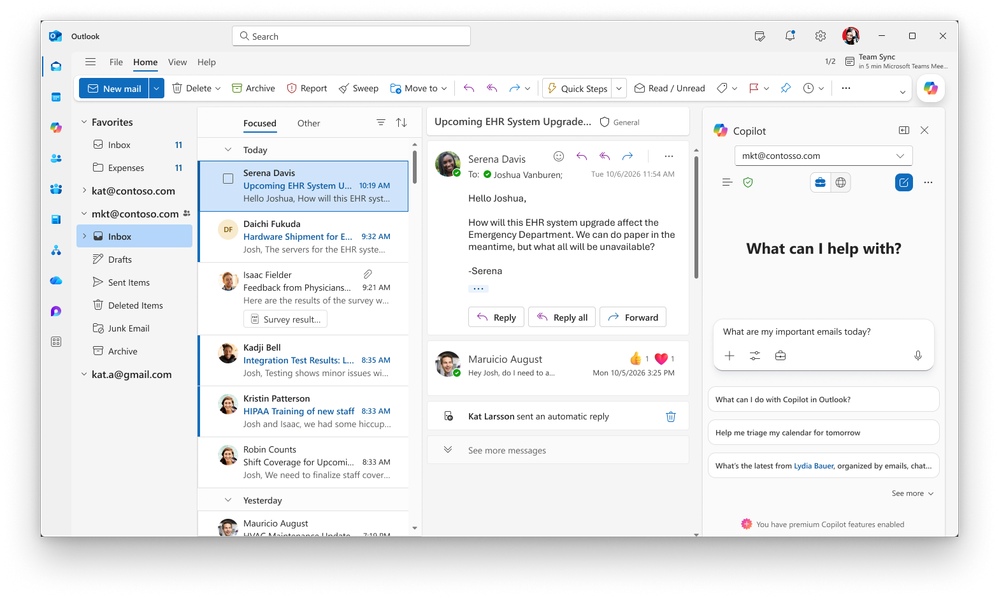
Copilot in Outlook: Account selector
Rolled out in MayUsers with multiple Copilot-enabled accounts in Outlook for Windows can now see an account drop-down menu in the calendar's Copilot side pane. The selector clearly identifies which account Copilot is currently acting on behalf of, and users can easily switch accounts. For multi-tenant users, this removes a common source of confusion and prevents actions from being taken in the wrong account.
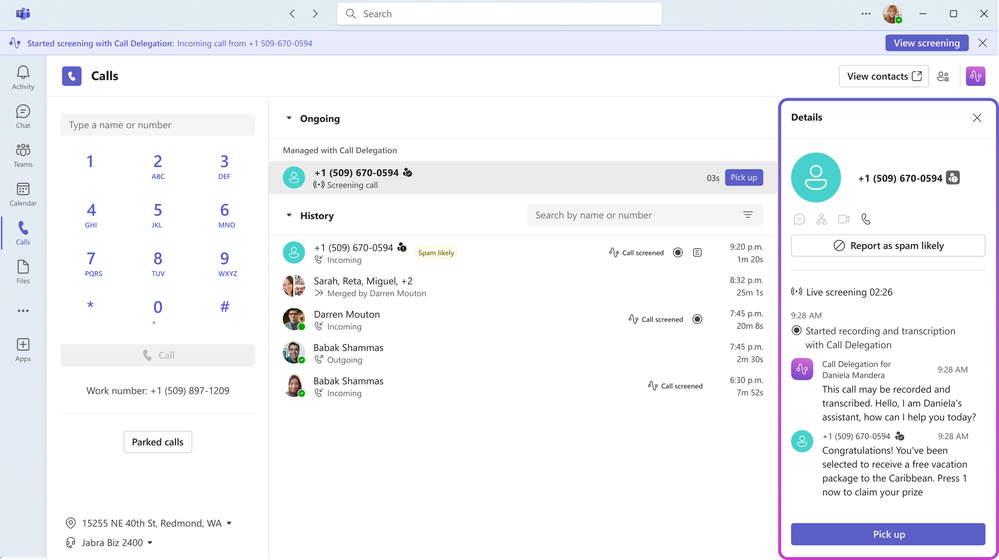
Copilot in Teams: Call delegation, recap deletion, and video recap
- Copilot call delegationRolling out to Frontier in June
When users cannot answer a Teams Phone call, Copilot answers on their behalf, captures the caller's intent and details, and generates a summary so users can follow up at their own pace without missing important communications. It can also schedule follow-up appointments through Microsoft Bookings, making it easier for users to meet with important callers later. This maintains responsiveness without interrupting the focus required for meetings and deep work. - Permanently delete meeting recordsRolled out in May
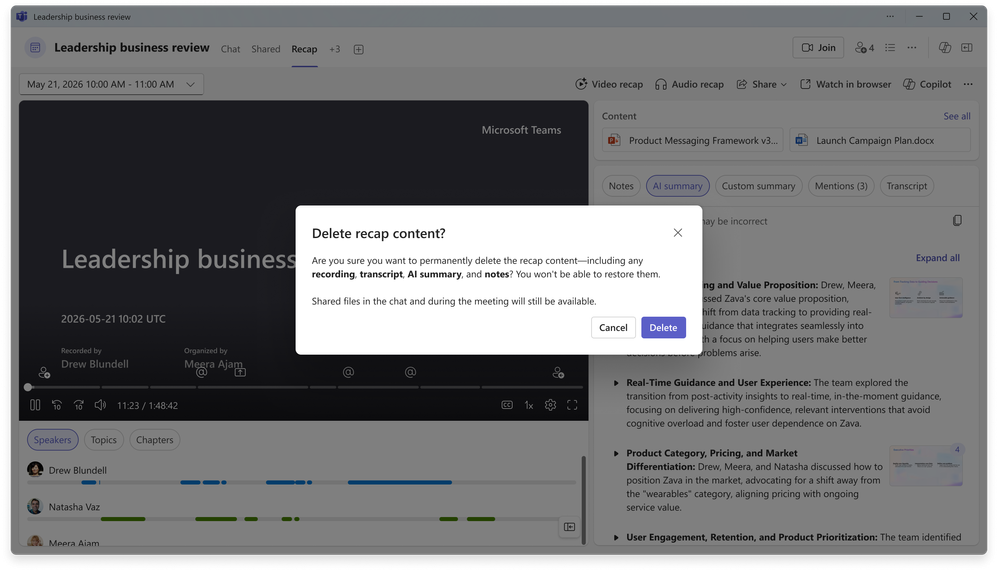
Organizers can now permanently delete meeting recordings, transcripts, AI summaries, and notes using a new option in the “More (…)” menu on the recap page. Shared files remain in their original locations. Without any administrator configuration, users can quickly and confidently clean up meeting artifacts to comply with retention policy requirements. - Video recapRolled out in April
Catching up on meetings is now much more efficient. Video recap transforms a recorded Teams meeting into a short, narrated highlight reel, pairing AI-generated narration with actual clips to connect the meeting's key moments, decisions, and shared visuals. Whether users missed the meeting or want to revisit the highlights, they can quickly grasp its flow, atmosphere, and conclusions without scrubbing through the full recording.
Copilot in Word: Document summaries, personalization, and writing suggestions
- Summary of recent file activityRolled out in May
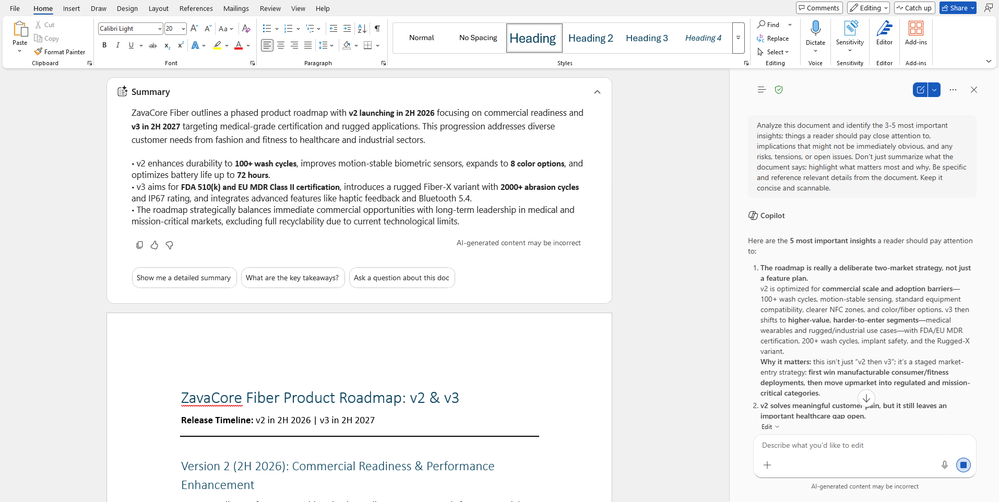
Copilot presents a summary of recent file activity directly in the chat pane, including the latest edits and user comments, helping users quickly understand what has changed in the document. This reduces time spent switching between edit history and comments and ensures teams stay aligned on the latest updates and feedback. - Personalized responses with Copilot memoryRolled out in May
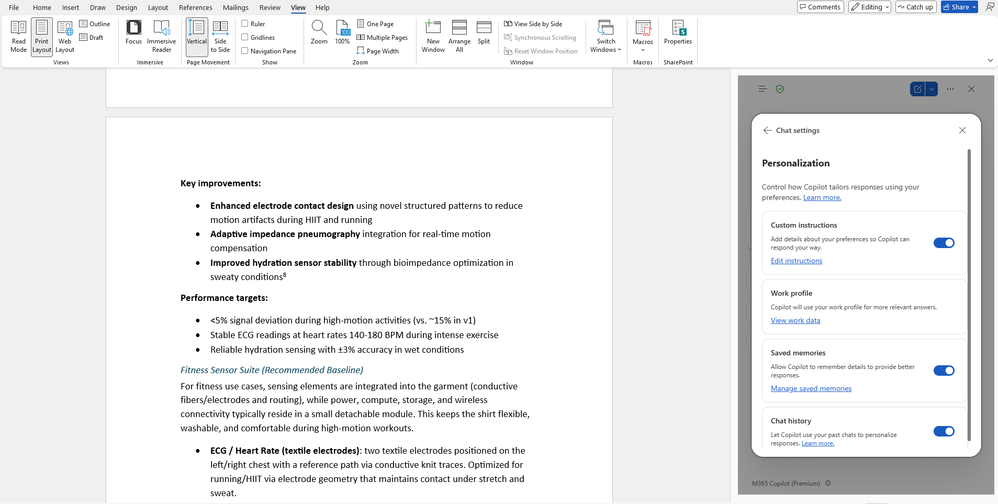
When using Copilot in Word, Copilot memory personalizes responses based on relevant user context and past interactions, so users do not have to repeatedly restate their preferences and background information. Over time, responses become increasingly tailored to individual needs, efficient, and useful, improving the overall quality and effectiveness of agent interactions across the organization. - Personalized insights at the top of a documentRolled out in May
Word now displays personalized insights at the top of a document, helping users quickly locate the most relevant content without scrolling or searching, making documents easier to navigate and useful information easier to find. - Writing suggestions from the Word agentRolled out on the web in May
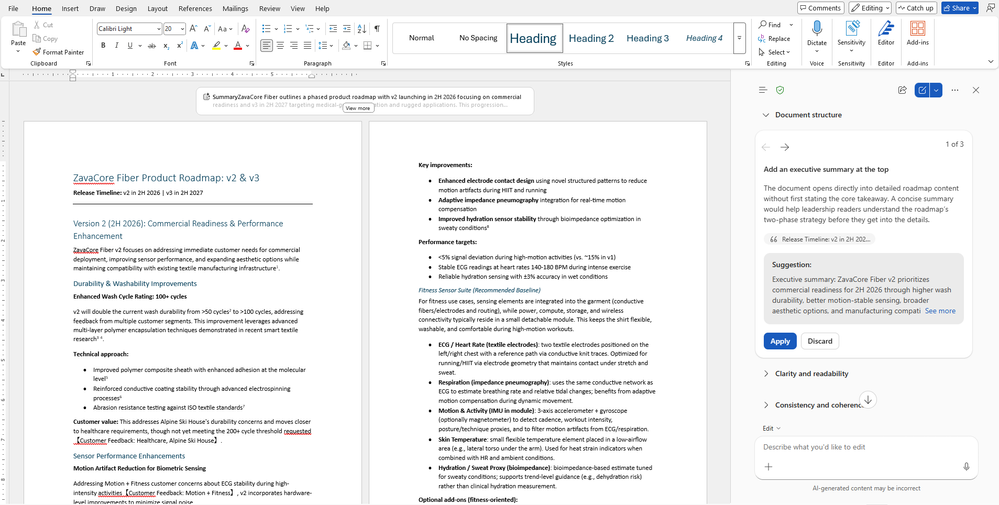
Writing suggestions provide real-time recommendations for improving clarity, tone, and structure as users draft documents, with prompts appearing directly in the writing flow. This lets users produce higher-quality content without interruption, accelerating editing, making communications more consistent, and improving overall document quality across the organization.
Copilot in PowerPoint: Slide explanations and built-in skills
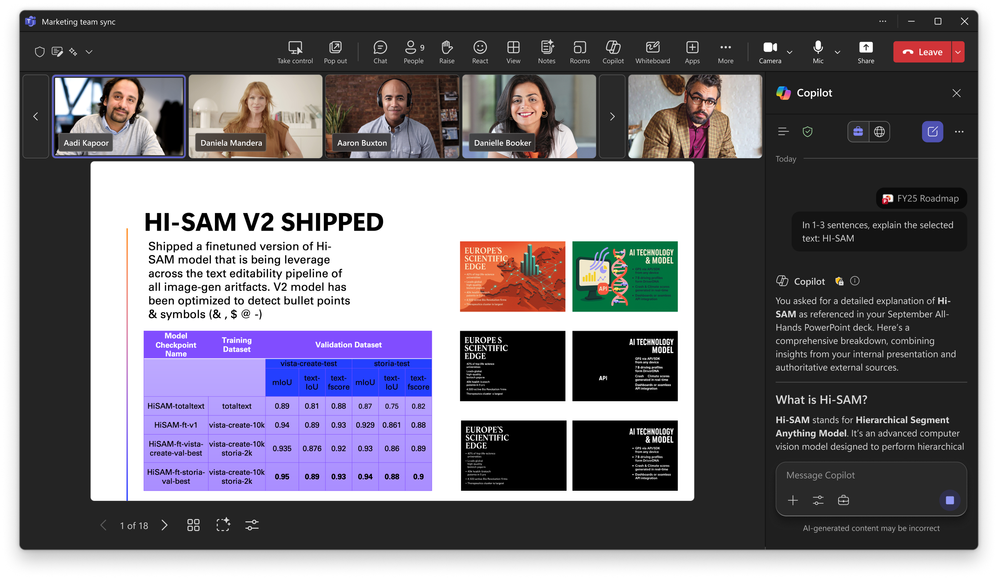
Slide explanations in PowerPoint LiveRolling out in June
In meetings, attendees can now select text on a slide and ask Copilot to explain what it means, quickly clarifying unfamiliar terms, complex concepts, or slide details without interrupting the presenter. For organizations, this makes online presentations easier to understand, more informative, and easier to follow.
Built-in skillsRolled out in May
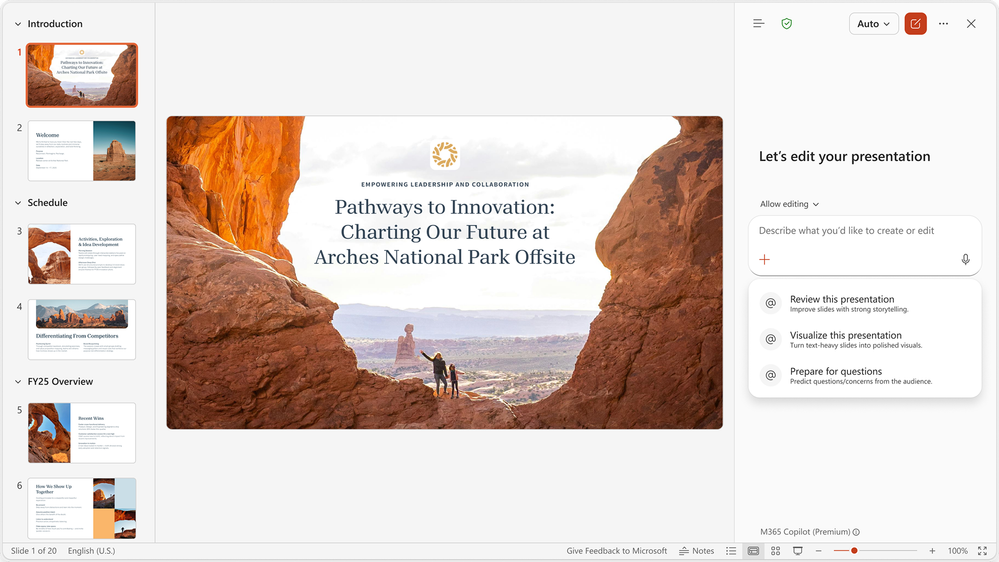
Copilot in PowerPoint adds a set of built-in skills that can be applied to a user's presentation with one click. Users no longer need to write lengthy prompts; they simply select the appropriate skill and let Copilot handle the rest. Three new skills are currently available:
- Review this presentation: Provides slide-by-slide suggestions to improve structure, clarity, and narrative logic, which users can review and apply.
- Visualize this slide: Transforms text-heavy slides into engaging visual presentations, improving their overall look and impact.
- Prepare for Q&A: Helps users identify weak points in a presentation and anticipate questions the audience may ask.
Copilot in SharePoint: Custom skills
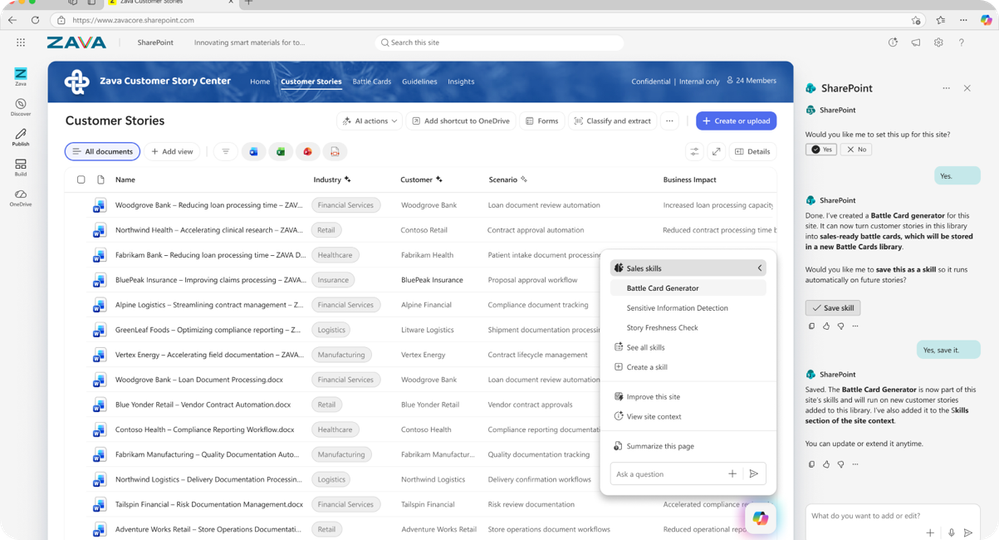
Rolled out in MayCopilot in SharePoint can now turn repeatable multistep workflows into reusable, site-specific assets that teams can execute consistently again and again. Using natural language, users can create and save skills that codify organizational standards, such as document guidelines and checklists, summarize content, or review processes, producing consistently reliable and contextually relevant results.
IT admin capabilities
Expanded ISO certification coverage for the Copilot portfolio
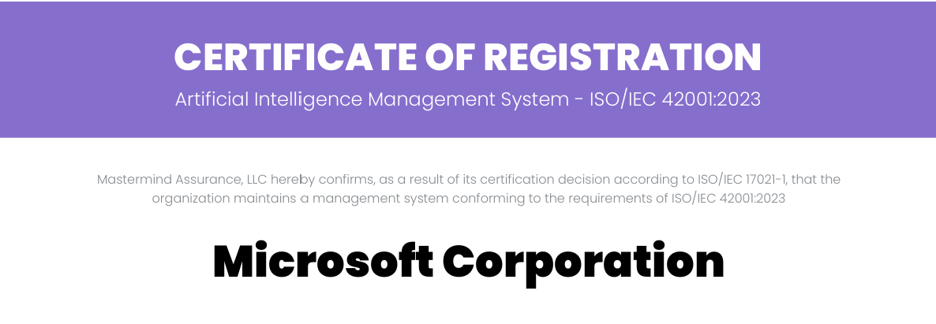
Microsoft is expanding ISO/IEC 42001:2023 (“ISO 42001”) certification across the Copilot portfolio. This is the broadest ISO 42001 certification coverage of any AI company to date, reflecting our continued investment and leadership in responsible AI.
We will maintain the existing certifications for Microsoft 365 Copilot and Copilot Chat, Microsoft Security Copilot, and Microsoft Foundry, which were first certified in 2025 by IAS-accredited certification body Mastermind Assurance. The certification scope also adds the following four Copilot experiences:
- Microsoft Copilot Studio—a low-code platform for building custom AI agents
- GitHub Copilot—the world's most widely adopted AI developer tool
- Microsoft Dragon Copilot—an industry-leading AI clinical assistant for physicians, nurses, and radiologists
- Copilot Health—an AI health assistant grounded in authoritative medical sources
Certification details are available in the Service Trust Portal.
New Copilot Adoption Hub
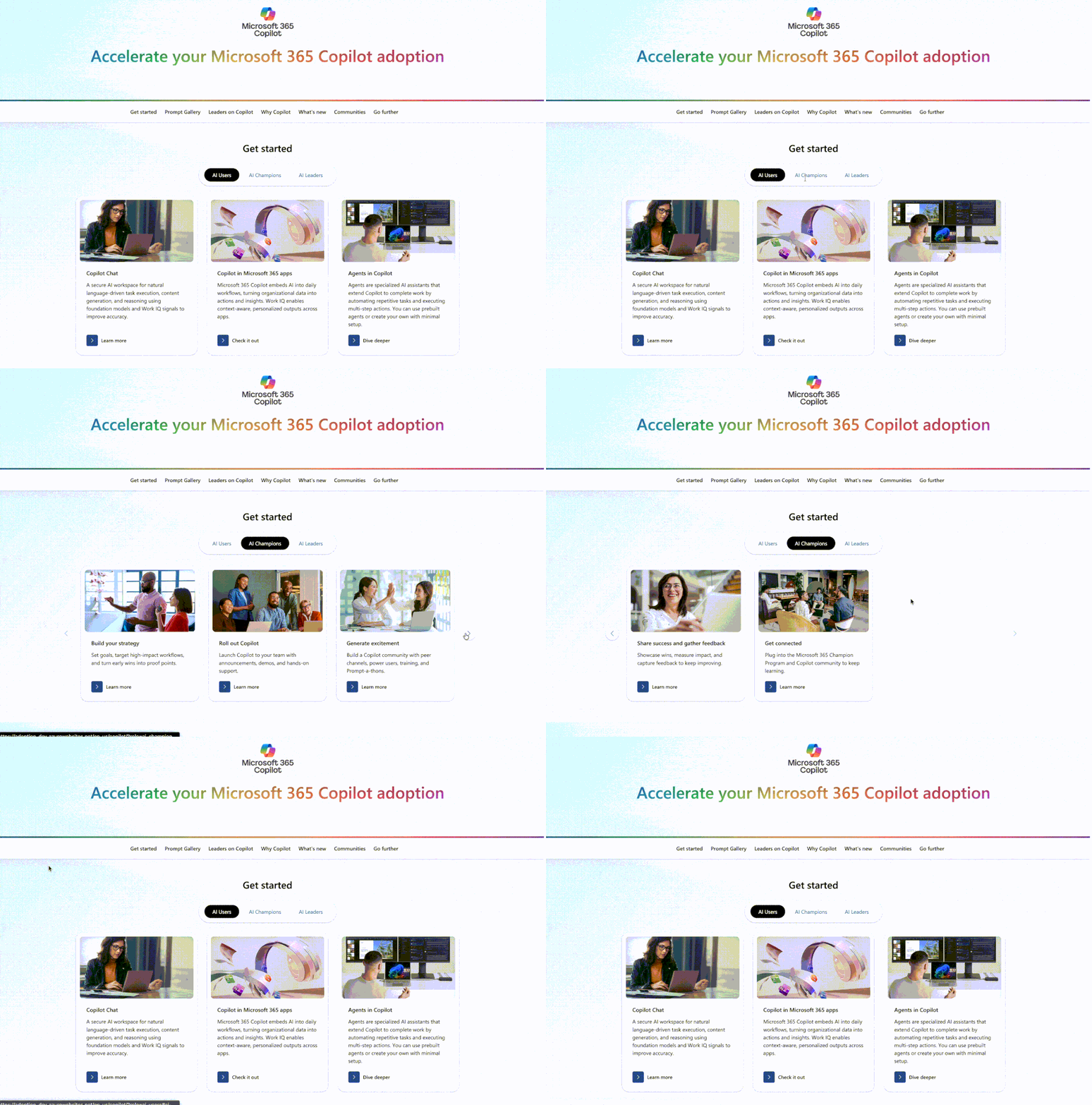
The new Copilot Adoption Hub gives deployment leads a streamlined entry point where they can find relevant guidance, tools, and recommended next steps to help users get started with Copilot and use it more frequently. Leads can begin with the path that best fits their situation—whether helping a small team get started or leading adoption across the organization. The hub also curates content showing what materials to share with users who have different needs. Whether deployment leads want to use Copilot more effectively themselves or help their teams do so, this is the place to start.
Federated Copilot connectorsRolled out in May
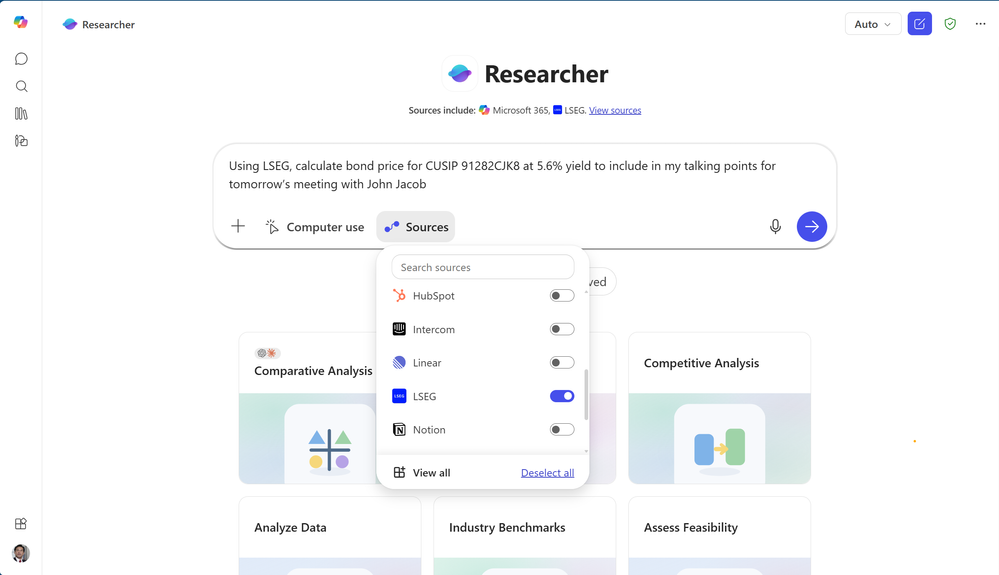
Federated Copilot connectors are now available, bringing real-time enterprise data into Copilot through the Model Context Protocol (MCP). These connectors bring real-time data from hundreds of SaaS systems into Work IQ, giving Copilot richer business context beyond Microsoft 365 content while preserving native security controls. The initial connectors cover partners including LSEG, Moody's, HubSpot, and Notion and are currently available in Copilot Chat and Researcher; LSEG and Moody's also support Excel. Organizations can also build custom federated connectors for internal systems, further extending Copilot's access to enterprise data.
Enable watermarks for sensitive content
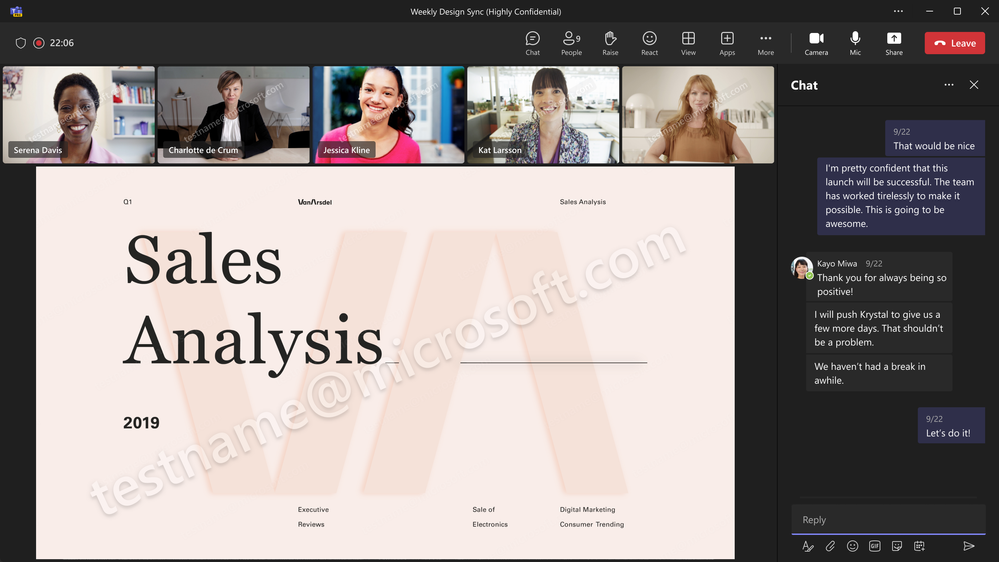
General availability in March; GCC-High in May; DoD in JuneWatermarking for Teams meeting content is a security feature that lets meeting organizers overlay each attendee's email address as a watermark on content shared in the meeting. Once enabled in “Meeting options,” the watermark is enforced for all attendees, helping deter screenshots of sensitive materials and giving users an added layer of accountability and confidence when sharing confidential information in meetings.